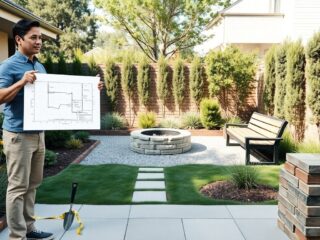
How to Navigate the Home-Hearted.com Blog starts with an honest promise: find useful home ideas, projects, and recipes fast. Home-Hearted.com collects hands-on tutorials, décor inspiration, and yard projects into a single place. This guide helps readers move from curiosity to action in minutes, where to click, how to search, and how to save content for real-world use. It assumes a reader who wants practical steps, not fluff, and gives precise actions for desktop and mobile browsing.
主なポイント
- Home-Hearted.comのホームページは、実用的なプロジェクトやレシピを視覚的に素早く見つけやすくデザインされている。
- 検索機能を使い、カテゴリとタグで絞り込むことで、必要なホームアイデアやハウツーを効率的に探せる。
- 記事は読みやすく構成されており、重要なツールリストや手順がすぐに把握できるため、後での保存や印刷も簡単だ。
- 購読はメールとRSSを使い分けて情報過多を防ぎ、効率的に最新のチュートリアルを受け取ることができる。
- 読者はコメント投稿やゲスト投稿で参加可能で、具体的で実用的な提案がサイト運営者に好まれる。
Quick Tour Of Home-Hearted: What’s On The Homepage And Why It Matters
The homepage places immediate value first: featured projects, a rotating recipe block, and trending yard ideas. Start with this fact: the homepage is a curated gateway designed to surface practical, step-by-step posts quickly. On arrival, readers will see large feature images that link to full tutorials, a “Latest” strip for new posts, and a small sidebar with subscription prompts.
Why that layout matters: the large images act as visual shortcuts. A reader who wants a closet-door makeover can recognize a before/after thumbnail and open the tutorial in one click. The “Latest” category is useful for time-sensitive tasks, for example, seasonal landscaping how-tos published in spring. The homepage also highlights “heartumental homemade recipes,” which are short, tested recipes with ingredient lists up front, ideal for someone who needs a dinner plan quickly.
Practical move: scan the top three featured tiles and open the one with the most relevant visuals. If none match, use the site tools described next. This saves roughly 2–6 minutes compared with scrolling every article. For a broader overview, consult the pillar page on site purpose and scope via the related overview page.
Using Search, Categories, And Tags To Find The Exact Content You Need
Direct answer: search first, then refine with categories and tags. The site’s on-page search handles keywords: categories organize long-term topics like décor, cleaning, or landscaping: tags connect cross-topic themes such as “Homehearted Hot Topics.”
How to act: enter a clear keyword phrase, for example, “closet sliding door track replacement.” If the immediate results are broad, switch to a category such as “Home Ideas” or “Home Repairs and Business” to narrow scope. Tags are most useful for trend-based grouping: a “Hot Topics” tag can reveal seasonal takes across categories.
Why this ordering works: search catches exact-word matches, categories filter topical depth, and tags knit content across themes. This three-step approach reduces noise and surfaces the most actionable posts.
Practical example and link: someone hunting cleaning routines after a renovation can start with site search then jump to a focused guide: a helpful related article on day-to-day upkeep can be found in cleaning tips.
Tips For Narrowing Results With Filters, Date Ranges, And Site Search Operators
Quick answer: use simple filters and outside operators to speed discovery. Where the site offers a date or category filter, apply it to show only posts from the last 12 months. If the on-site search lacks advanced operators, use Google with a site operator, for example: site:home-hearted.com “cedar fence.” That command forces results only from Home-Hearted and often surfaces buried posts.
Concrete tip: add a year, e.g., “2025”, to find the most recent product recommendations. If images matter, scan the results page for thumbnails: tutorials with step photos usually show up as larger tiles.
Reading, Saving, And Printing Articles For Later
Fact first: Home-Hearted posts are structured for quick reading, clear steps, materials lists, and photos. For later use, the fastest saves are browser bookmarks and mobile reading lists. Readers who need printable instructions should use the browser Print command: most posts format cleanly when printed because they avoid heavy dynamic elements.
Practical workflow: when a user opens a project, scan for three essentials: tools list, time estimate, and a step-by-step section. If those appear, bookmark the page in a folder named after the project (for example, “yard projects 2026”). For recipes, copy the ingredients block into a note app or add the page to a grocery list app for one-tap access at the store.
Saving alternatives and example: readers who build weekend projects repeatedly can create a “Projects” folder and save five high-priority posts. That approach converts casual browsing into a sequence of shop trips and work sessions, it reduces material forgetfulness and can save an estimated hour of back-and-forth per project.
If a reader prefers offline access, printing to PDF creates a portable copy. For longer tutorials with many images, choose “Print, > Save as PDF” and select A4 or Letter depending on printer. This preserves photos and keeps the materials list on the first pages.
Subscriptions, Notifications, And RSS: Stay Updated Without Overload
Bottom line: subscribe selectively and use RSS to avoid email fatigue. Home-Hearted shows subscription forms in the header and sidebar: signup typically delivers a weekly digest rather than every post. For readers who want control, RSS or an aggregator app is the cleanest solution.
How to set it up: subscribe to the site’s newsletter for curated highlights if they want occasional inspiration. For hands-on followers who want every new tutorial, add the site’s feed to an RSS reader. If a reader needs help learning RSS, a general tutorial on RSS can clarify the steps, for example, CNET’s feed page explains how to add feeds to a reader and why RSS still matters.
Why RSS helps: it groups new posts from multiple sites into one stream so a reader can scan headlines in under five minutes. For someone tracking both recipes and yard projects, two feeds in one reader keep content organized and reduce duplicate email notifications.
Practical warning: sign up with an email alias for frequent newsletters to prevent primary inbox clutter. That small step prevents the “unread 8,000” problem that often follows enthusiastic subscriptions.
How To Engage: Commenting, Submitting Tips, And Pitching Guest Posts
Key fact: readers can participate, and the site accepts reader tips and guest ideas. Comment sections under posts are the first line of engagement: they let readers ask clarifying questions or report local variations (for instance, regional plant hardiness notes for landscaping tutorials).
How to comment effectively: be specific, name the post, quote the step, and offer the exact substitution or tip (e.g., “On step 4, substitute cedar with redwood: I tested this in zone 7 and it lasted three years”). Specificity makes comments usable to other readers and to editors.
Submitting tips and pitching: Home-Hearted-related contact pages often list an email or submission form for ideas. When pitching a guest post, include 2–3 proposed headlines, a short outline, and two links to past work or images. Editors prioritize practical pitches with photos and clear how-to value.
Community trust and an extra resource: readers who want to compare DIY approaches can review established DIY archives for technique context: for a broader perspective on do-it-yourself methods, browse respected DIY collections like the DIY hub. That comparison helps judges method tradeoffs and avoids repeating well-known pitfalls.
Practical caution: do not paste entire tutorial drafts into comments. Instead, offer a one-paragraph summary and ask how to send a full draft, editors prefer attachments or form submissions.
Conclusion
Home-Hearted.com is structured to help readers act quickly: the homepage highlights, targeted search, and tidy article formatting turn browsing into usable projects. Use search plus categories and tags to narrow choices, save posts to organized folders, and choose RSS or curated emails to avoid overload. When ready to contribute, choose precise, helpful comments or a concise guest pitch. These small habits convert discovery into finished work and fewer wasted trips to the hardware store.