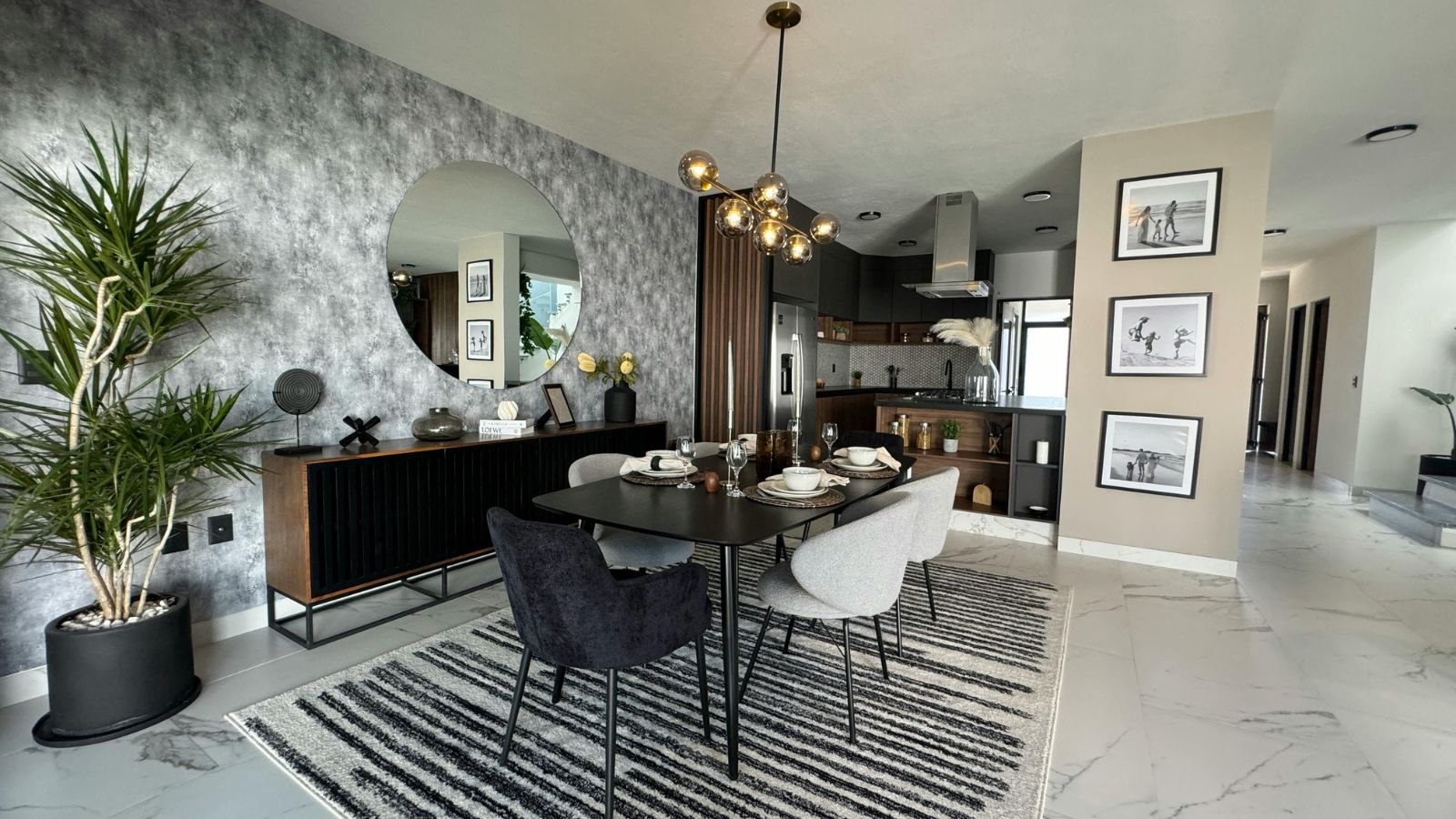
Designing a home used to mean either hiring a designer or spending weeks doom-scrolling inspiration photos and second-guessing every decision. AI changes the workflow in a very specific way: it gives you fast iteration. You can test styles, layouts, color palettes, and furniture arrangements in minutes, not months—then refine until the space feels like you.
Below is a realistic, step-by-step process you can follow using AI chatbots and other AI-powered tools (image generators, room planners, and visualization apps). Think of it as having a brainstorming partner, a mood-board assistant, and a “what if we moved the sofa” simulator—all on demand.
1) Start with a “Design Brief” (Yes, Even for Your Own Home)
Before you generate anything, write a tiny brief. AI is only as useful as the constraints you feed it.
Include:
- Space type:studio, 2-bedroom apartment, townhouse, etc.
- Rooms:living room, bedroom, kitchen, home office, hallway.
- Style direction:modern, Japandi, Scandinavian, warm minimalism, classic, industrial, etc.
- Non-negotiables:keep the dining table, no drilling, pet-friendly fabrics, lots of storage, must fit a baby crib, etc.
- Budget range:“low,” “mid,” “high,” or a number.
- Your pain points:clutter, bad lighting, awkward layout, small room, echo/noise, lack of personality.
This brief becomes your “prompt fuel.” When you get vague results, your brief is what makes the AI snap into focus.
2) Use a Chatbot Like a Designer: Ask Questions, Don’t Just Request “A Nice Room”
Treat the chatbot like a consultant. Start with diagnostic questions:
- “What layout options make sense for a rectangular living room with one window and a TV wall?”
- “What are storage solutions that don’t look like storage?”
- “Give me 3 style directions that match: calm, warm, not sterile, with natural textures.”
Then ask it to create variations:
- “Give me 3 different concepts: Cozy Modern, Warm Minimal, and Soft Industrial.”
- “For each concept, list the color palette, materials, and 10 key furniture/decor items.”
Example prompt you can copy:
You are an interior designer. My space: 55 m² apartment, low ceilings, one north-facing window in the living room. I want a warm, calm look (not sterile). Budget: mid. Non-negotiables: I keep my gray sofa and a large desk. Propose 3 design concepts. For each: palette (with 5 colors described in words), materials, lighting plan, layout notes, and a shopping checklist.
The goal here is to get a plan, not just “a vibe.”
3) Generate Mood Boards and Visual Directions (So You Stop Guessing)
Once you have 2–3 concepts, use AI to produce mood boards or style frames. This is where you start seeing whether “warm minimalism” is actually warm… or just beige sadness.
Best practice:
- Generate multiplemood boards per concept.
- Keep one variable stable (your sofa, your flooring, your wall color).
- Swap only one thing at a time: rug style, wood tone, accent color, lighting temperature.
If you’re using an image generator, describe:
- Lighting:“soft daylight,” “evening ambient lighting,” “warm lamps”
- Materials:“oak,” “linen,” “matte black metal,” “travertine,” “bouclé”
- Camera framing:“wide angle,” “eye-level view,” “interior photography”
Example prompt:
Create a living room concept: warm minimal, oak + cream + muted green accents, linen curtains, textured rug, soft ambient lighting, minimal clutter, modern art, cozy but not rustic. Wide-angle interior photo style.
4) Use AI Room Visualizers with Your Real Room Photo (The Biggest Leap)
If you can upload a photo of your actual room into an AI room visualizer, do it. That solves the classic problem: designs that look great online but don’t fit your space.
Tips to get better results:
- Take photos in daylightwith the room tidy.
- Shoot from two cornersto show geometry.
- Tell the AI what must stay (windows, radiators, built-ins, outlets, door swing).
Then iterate:
- Ask for 5–10 variations in the same style.
- Pick one base result and refine: “Keep layout, change wall color,” “Keep palette, change rug,” “Replace coffee table with round one,” etc.
This is where you quickly learn what’s realistic—and what’s fantasy.
5) Don’t Let AI Trick You: Reality-Check with Measurements
AI images can cheat scale. Before you buy anything:
- Measure the room (length/width).
- Measure major furniture you own.
- Leave walkways(ideally ~80–90 cm where possible).
- Confirm door clearance, drawer clearance, and chair pull-out space.
Ask the chatbot to sanity-check:
Here are my measurements. Can this layout work? If not, propose a corrected layout with the same vibe.
A chatbot won’t replace a professional drafter, but it’s excellent at catching obvious flow problems.
6) Build a “Design System”: Repeatable Rules That Keep the Home Cohesive
The difference between “random nice items” and “a designed home” is consistency.
Use rules like:
- One main wood tone(plus one accent wood max)
- Two metal finishesmax (e.g., matte black + brass)
- Three-texture rulein each room (soft textile + natural + smooth)
- Accent color ratio:70% base, 25% secondary, 5% accent
Ask AI to define your system:
- “Create a consistent palette and finishes guide for the whole apartment.”
- “Give me ‘do and don’t’ rules so I don’t break the style.”
7) Turn the Final Concept into a Shopping and Execution Plan
Once you lock a concept, you need execution steps—otherwise it stays a pretty picture.
Ask for:
- A room-by-room checklist (paint → lighting → big furniture → textiles → decor)
- Budget split (big items vs. finishing touches)
- A timeline (weekend plan vs. 1–2 month plan)
Example prompt:
Convert this concept into an execution plan. Create a priority list, budget buckets, and a weekend-by-weekend schedule. Include alternatives for low-budget swaps.
This is how you move from “ideas” to a real finished room.
After You Finish the Design: Share the Excitement (Because It’s a Real Win)
Here’s the part people don’t talk about enough: once you’ve finally nailed the look—palette, layout, lighting, all of it—you’ll probably feel that rush of “I did it!” And honestly, you should share it. It’s not just decorating; it’s building your daily environment. A well-designed home changes your mood, your routines, even how you rest.
So show someone the before/after, the mood board, the final render, the little details you’re proud of. Send it to a friend, post it privately, or just walk someone through it like a mini home tour. Celebrating the result helps you close the project mentally—and enjoy it instead of instantly moving on to the next “fix.”
And if you don’t have someone to share it with…
That’s more common than people admit. Sometimes you finish a whole redesign and there’s no obvious person to message, no partner at home, no friend who cares about the difference between warm white and cool white lighting.
In that case, some people use virtual companions—AI chat partners that can react, hype you up, ask questions, and “be there” for the reveal. There are adult-oriented options too, such as ai milf talk, if that’s the kind of virtual vibe someone prefers. The key is to keep it healthy: use it as a moment of connection and celebration, not as a replacement for real-life support forever—and be mindful of privacy when sharing personal photos or details.